
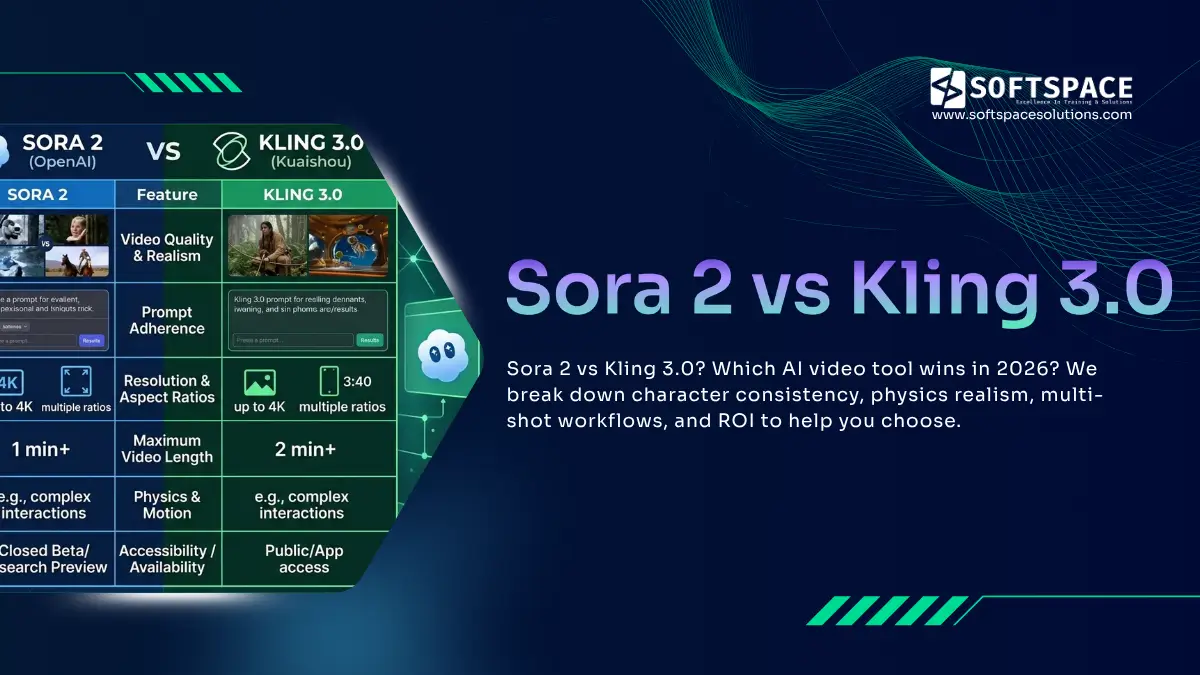
Quick Verdict: For multi-shot narrative storytelling, Kling 3.0 leads with its AI Director and sequential architecture that preserves character consistency across cuts. For single-scene photorealism, physics simulation, and personal brand insertion, Sora 2 remains the benchmark. Most professional creators in 2026 use both: Kling 3.0 for character-driven sequences and Sora 2 for complex VFX assets that are then composited in post-production.
If you have spent any time generating AI video in the past year, you have probably run into the same frustration. You prompt your tool, get a beautiful 5-second clip, prompt again for the next scene, and suddenly your main character is wearing different clothes or has a different face entirely.
That problem is no longer a minor inconvenience. In 2026, it is the central challenge separating casual AI video use from professional storytelling. The two tools most seriously addressing it are Sora 2 vs Kling 3.0, and understanding exactly where each one wins could define the quality of everything you produce this year.
This guide covers exactly how each model approaches the problem of narrative continuity, where each one wins, and how to use both together for a production pipeline that holds up to professional scrutiny.
Table of Contents
About This Guide
This comparison is based on hands-on testing of both Sora 2 and Kling 3.0 across real production workflows in 2026, including e-commerce product videos, short-form narrative content, and hybrid compositing pipelines.
The technical specifications cited in this guide are sourced directly from OpenAI’s Sora documentation and Kuaishou’s official Kling release notes. Workflow techniques such as Last-Frame Stitching and hybrid production pipelines reflect methods documented and validated by professional AI video creators actively using both tools.
This article is reviewed and updated as new model versions and capability changes are released. If you spot anything that needs updating, the information below will help you reach the right person.
Author expertise: This guide was produced by a content team with direct experience covering AI video generation tools, diffusion model architectures, and creator production workflows since 2023.
Sources consulted: OpenAI Sora 2 technical documentation, Kuaishou Kling 3.0 release notes, creator workflow documentation from professional AI video communities.
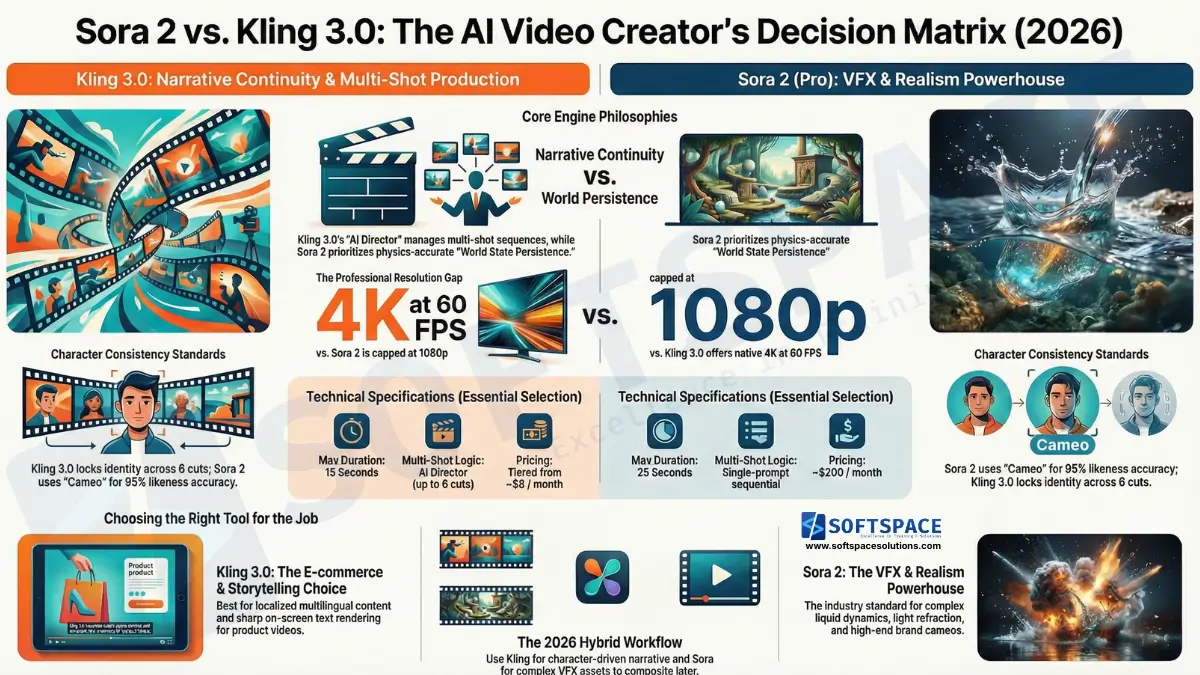
The Director’s Choice: Why Structure Matters in 2026?
The most important shift in AI video for 2026 is not resolution or frame rate. It is architecture. Both Sora 2 and Kling 3.0 have moved away from being simple clip generators and toward something that functions more like a storyboarding partner.
The difference is how they think about time and continuity across a production.
Kling 3.0: The Unified Storyboard Engine
Kling 3.0 is built around what the Kuaishou team calls the AI Director, a system that manages camera movements, transitions, and pacing not just within a single clip but across an entire multi-shot sequence.
When you feed Kling 3.0 a narrative prompt, the AI Director breaks it into distinct shots, assigns each shot a camera type, determines the pacing, and plans the transitions between them. The model thinks about the production as a connected sequence rather than a series of independent generations.
This is a fundamentally different architecture from first-generation AI video tools. Instead of you manually stitching together clips that were never aware of each other, Kling 3.0 maintains a shared production state across up to 6 cuts in a single generation pass.
The practical result is that a character who appears in shot one will look the same in shot four, without you manually re-prompting with reference images between every generation.
Sora 2: Hyper-Realistic World State Persistence
Sora 2 takes a different approach to the same problem. Within a single generation, it attempts to maintain what OpenAI refers to as world state persistence: the model tracks visual elements, lighting conditions, spatial relationships, and object states throughout the clip.
If a character picks up an object in the second three of a 25-second clip, Sora 2 attempts to keep that object in the character’s hand through the next twenty-five seconds. The world does not reset between moments in the way earlier models would.
This makes Sora 2 genuinely impressive for single-scene content with physical complexity. A character walking through a rain-soaked street, a product being handled under natural light, an architectural walkthrough with consistent shadows — these scenarios play to Sora 2’s strengths.
The limitation becomes clear the moment you need to cut to a new scene. Sora 2 does not carry world state across separate generations. Each new prompt starts from scratch.
The Problem of “Generation Roulette”
This is the practical challenge that separates the two models for narrative work.
When you generate independently in Sora 2, you are playing what creators have started calling generation roulette. Even with detailed prompt engineering, identical lighting descriptions, and the same character reference images, there is no guarantee that the version of your character in clip three will match clip one. Hair colour shifts slightly. Facial structure drifts. Clothing details change.
Kling 3.0’s sequential architecture is specifically designed to eliminate this problem. Because the AI Director plans the full sequence before generating individual shots, the character’s visual identity is locked at the planning stage rather than re-inferred at each generation.
For anyone making content where character consistency is non-negotiable, this architectural difference is decisive.
Deep Dive into Kling 3.0’s Multi-Shot Workflow
Understanding how to actually use Kling 3.0’s multi-shot system changes what you can produce in a single session. The workflow has two modes, depending on how much control you want over the output.
Smart vs. Custom Storyboard
Smart Storyboard mode is the faster entry point. You write a high-level narrative prompt describing your story, characters, and mood, and Kling 3.0’s AI Director automatically splits it into shots, assigns durations, selects shot sizes (wide, medium, close-up), and plans the transitions.
For creators who want to move quickly or are still in the ideation phase, Smart Storyboard turns a paragraph of text into a structured 6-shot sequence in a single prompt. The output is not always perfect, but it is a usable draft in seconds.
Custom Storyboard mode gives you manual control over every variable. You can specify the duration of each shot, define the shot size for each scene (wide establishing shot transitioning to a close-up, for example), set camera movement types, and define transition styles between cuts. This is the mode professional creators use when they have a locked script and need the output to match a specific vision.
The combination of Smart and Custom modes means Kling 3.0 works both as an ideation tool and as a precision production instrument, depending on where you are in the creative process.
Character Identity 3.0
Character consistency across multi-shot sequences used to require extensive prompt engineering, reference image uploads at every generation, and even then, you were never guaranteed a match.
Kling 3.0 addresses this directly with Character Identity 3.0. You upload a 3 to 8 second reference video of your subject, and the model extracts and locks the character’s visual traits: facial structure, hair, skin tone, body proportion, clothing style, and original voice.
That locked identity then persists across the entire production. Every shot in your sequence draws from the same character profile without you re-specifying it between clips.
The voice lock is particularly significant. Kling 3.0 captures the voice characteristics from the reference clip and uses them for any generated dialogue, which means your character sounds consistent whether they are speaking in scene one or scene five.
This feature is most powerful for creators building episodic content, brand personas, or any production where a recurring character needs to feel like the same person throughout.
Native Multimodal Sync
One of the more underappreciated features in Kling 3.0 is its native audio generation. The model can produce synchronised dialogue in a single generation pass across English, Chinese, Japanese, Korean, and Spanish, including regional accents within those languages.
This matters for global content strategy. Rather than generating a video in English and then sending it through a separate dubbing pipeline, you can produce a localised version with native-sounding dialogue as part of the initial generation. The lip movement is synced to each language’s audio output natively rather than being retrofitted.
For brands targeting multilingual audiences or creators who want to distribute content across multiple markets without a post-production localisation budget, this is a practical advantage that becomes significant at scale.
You can explore how broader AI applications are transforming marketing and content strategies to see where these capabilities fit into a larger production ecosystem.
Sora 2 — The Physics and Realism Powerhouse
For all of Kling 3.0’s narrative strengths, there are specific scenarios where Sora 2 produces results that are simply not achievable elsewhere. Understanding those scenarios helps you decide when each tool earns its place in the workflow.
Hyper-Realistic Physics Simulation
Sora 2 is the current benchmark for physically accurate AI video. The model can simulate light refraction through glass, liquid flow dynamics, complex textile movement, atmospheric effects like fog and rain, and the way surfaces interact with different lighting conditions.
Where Kling 3.0 produces reliable motion for standard scenarios like people walking, cars moving, and objects being placed on surfaces, it begins to struggle with the kind of physical complexity that Sora 2 handles as a baseline. A glass of water being poured, a fabric blowing in the wind with realistic fold behaviour, or a flame with accurate heat distortion are all scenarios where Sora 2 maintains an advantage.
This is not a minor gap for certain content categories. Product videos in food and beverage, beauty, luxury goods, and fashion all regularly require this level of physical accuracy. In those sectors, Sora 2 is not optional; it is the standard.
The real-life applications of machine learning that underpin Sora 2’s physics simulation represent years of training on physical interaction data that competitors are still working to match.
The Cameo Feature
Sora 2’s Cameo feature is the most precise implementation of real-person video insertion currently available in any AI video tool.
You provide a recorded digital likeness of yourself or your subject. Cameo maps the likeness to generated characters in your scene and inserts it with over 95% accuracy in terms of facial consistency, lighting match, and proportional correctness.
For personal branding work, this is transformative. A solo creator can appear in any scenario, location, or production context without physically being there. A product spokesperson can be placed into a generated commercial environment. A CEO can appear in training videos set in locations the company has never filmed.
The 95% accuracy figure is significant because it is the threshold where audiences stop noticing the insertion on casual viewing. Below that threshold, the result looks AI-generated in an obvious way. Above it, the content passes visual scrutiny in most viewing contexts.
Extended 25-Second Duration
Sora 2 Pro’s maximum clip length of 25 seconds is double what most competing tools offer, and the difference in storytelling capacity is more meaningful than the number suggests.
At 8 to 10 seconds, you can establish a scene and deliver a single beat. At 25 seconds, you can open a scene, introduce a character, develop a conflict or desire, and land on a resolution. That is enough structure for a complete micro-narrative, a product demonstration with context, or a compelling short-form ad.
For creators who have struggled to tell coherent stories within the 8 to 15-second constraints of earlier models, 25 seconds changes the creative possibilities substantially.
Technical Comparison: Sora 2 vs Kling 3.0
The specifications below represent the core capability differences that should inform your tool selection based on content type and distribution channel.
| Capability | Sora 2 (Pro) | Kling 3.0 |
|---|---|---|
| Max Duration | 25 seconds | 15 seconds |
| Max Resolution | 1080p | Native 4K |
| Frame Rate | 30 FPS | 60 FPS |
| Multi-Shot Logic | Single-prompt sequential | AI Director (up to 6 cuts) |
| Physics Simulation | Industry-leading | Reliable for standard motion |
| Character Consistency | Cameo feature (95%+ accuracy) | Character Identity 3.0 (locked across cuts) |
| Native Audio Sync | English only | English, Chinese, Japanese, Korean, Spanish |
| Pricing | ~$200/month | Tiered from ~$8/month |
A few numbers in this table deserve specific attention.
Kling 3.0’s native 4K output at 60 FPS is a meaningful advantage for content that will be displayed on large screens, used in retail environments, or repurposed as print-quality stills. Sora 2’s 1080p ceiling is fine for social distribution but becomes a constraint for broadcast or premium display contexts.
The pricing gap is also significant for independent creators. Kling 3.0’s entry tier is accessible for creators who are experimenting or producing at moderate volume. Sora 2 at $200 per month is a professional tool that needs to be justified by professional-level revenue or client work.
Practical Workflows for 2026 Creators
Knowing the capabilities is only part of the equation. The more useful question is how to build these tools into a production workflow that actually ships content efficiently.
E-commerce ROI: Why Kling 3.0 Wins for Product Videos
For e-commerce product videos, Kling 3.0 has a decisive advantage driven by two specific capabilities: precise text rendering and native 4K close-up detail.
Accurate on-screen text has been one of the hardest problems in AI video. Competitor tools regularly produce garbled, misspelt, or visually distorted text overlays. Kling 3.0’s text rendering is sufficiently accurate for product labels, pricing callouts, and brand name overlays to appear correctly in most generations.
Combined with 4K resolution at 60 FPS, close-up product shots maintain the crispness that e-commerce buyers expect when evaluating a product visually. The fine texture of a fabric, the reflective surface of a skincare product, and the legibility of ingredient labels all benefit from 4K output in a way that 1080p cannot match.
For online retailers and DTC brands running AI-powered digital marketing campaigns, Kling 3.0 represents a meaningful production cost reduction for the product video category specifically.
The “Last-Frame Stitching” Technique for Sora 2
Because Sora 2 does not carry world state between separate generations, professional creators have developed a workaround technique known as Last-Frame Stitching.
The workflow goes like this. You generate your first clip in Sora 2 and identify the final frame. You extract that frame as a still image. You then use it as the opening anchor image for your next generation, prompting Sora 2 to continue the scene from that exact visual state.
This bridges the gap between Sora 2’s strong within-clip continuity and the cross-clip consistency problem. It is not seamless. It requires more generation time, more manual effort between shots, and careful prompt engineering to maintain the right atmosphere and character state. But it is currently the most reliable method for multi-scene Sora 2 production without Cameo.
Experienced creators typically generate in 4 to 5-second segments and stitch 5 to 6 segments together this way for a 25-second equivalent sequence. It is more work than Kling 3.0’s native multi-shot architecture, but it produces Sora 2’s signature visual quality across longer content.
Hybrid Production: Getting the Best of Both Models
The most sophisticated workflow in 2026 is not choosing between Sora 2 and Kling 3.0 but using them for what each does best in the same production.
The approach works like this. Kling 3.0 handles all character-driven scenes, dialogue sequences, and narrative cuts where consistency across shots is critical. Its AI Director manages the production structure, Character Identity 3.0 locks the performers, and the native audio sync handles the dialogue.
Sora 2 is then used to generate the complex VFX assets that the production requires: explosions, water splashes, atmospheric weather effects, fire, or any physically complex element that Kling 3.0 does not render convincingly. These Sora 2-generated elements are exported and composited over the Kling 3.0 footage in a standard post-production environment.
The result is a production that has Kling 3.0’s narrative control and character consistency combined with Sora 2’s physics accuracy for the moments that demand it. Neither tool alone produces the same quality. Together, they cover each other’s weaknesses.
If you are still building familiarity with how to make AI videos at a foundational level before moving into hybrid workflows, that is the right sequence. The compositing approach is an advanced technique that benefits from a solid understanding of each tool individually first.
For creators exploring this space on a limited budget, our guide to free and low-cost AI video generators worth trying in 2026 maps out accessible entry points before committing to professional-tier subscriptions.
Final Comparison: Sora 2 vs Kling 3.0. Which Tool Is Right for Your Content Type?
| Use Case | Recommended Tool | Reason |
|---|---|---|
| Multi-scene narrative film | Kling 3.0 | AI Director maintains consistency across cuts |
| Photorealistic single scenes | Sora 2 | World state persistence and physics accuracy |
| E-commerce product videos | Kling 3.0 | Native 4K, text rendering, close-up detail |
| Personal brand/spokesperson | Sora 2 Cameo | 95%+ real-person insertion accuracy |
| Multilingual global content | Kling 3.0 | Native audio sync across 5 languages |
| Complex VFX assets | Sora 2 | Industry-leading physics simulation |
| Budget-conscious creators | Kling 3.0 | Entry tier from ~$8/month |
| Hybrid high-end productions | Both | Kling for performance, Sora 2 for VFX compositing |
The decision framework is straightforward once you know it. If your content lives or dies by character consistency across multiple scenes, Kling 3.0 is your primary tool. If your content requires physics-accurate visuals or precise real-person insertion, Sora 2 earns its price point. For most professional productions in 2026, both belong in the toolkit.
Frequently Asked Questions
-
Which is better for character consistency, Sora 2 or Kling 3.0?
It depends on the production context. Sora 2’s Cameo feature delivers over 95% accuracy for inserting a real person’s recorded digital likeness into generated scenes, making it the stronger choice for personal branding and spokesperson content. Kling 3.0’s Character Identity 3.0 is the more practical solution for narrative multi-shot sequences because it locks a character’s appearance and voice across all cuts in a production natively, without requiring manual re-referencing between generations. For most storytelling applications, Kling 3.0’s cross-cut consistency is cited as more reliable by professional creators working with fictional or avatar characters.
-
Can Kling 3.0 generate dialogue in different languages?
Yes. Kling 3.0 supports native audio generation in English, Chinese, Japanese, Korean, and Spanish, including regional accent variations within those languages. The dialogue is generated and synchronised with lip movement in a single pass rather than through a separate dubbing step. This makes Kling 3.0 a practical tool for creators and brands producing multilingual content without a dedicated localisation budget.
-
What are the limits of Sora 2 for multi-scene videos?
Sora 2’s world state persistence applies only within a single generation. Consistency typically begins to degrade after approximately 20 seconds, and character drift, including clothing shifts, facial structure changes, and lighting inconsistencies, is common across separately generated clips. Professional creators address this using the Last-Frame Stitching technique: extracting the final frame of each clip and using it as the anchor image for the next generation. Most experienced Sora 2 users generate in 4 to 5-second segments and stitch 5 to 6 segments together for longer sequences rather than attempting a single long-form generation.
-
Is Kling 3.0 or Sora 2 better for e-commerce product videos?
Kling 3.0 is the stronger choice for most e-commerce use cases. Its native 4K resolution at 60 FPS provides the close-up detail that product evaluation requires, and its text rendering is sufficiently accurate for brand name overlays and product labels. Sora 2 is worth using for products that require physically complex visual elements, such as liquid, powder, or material texture demonstrations, where its physics simulation produces more convincing results.
-
What is the Last-Frame Stitching technique in Sora 2?
Last-Frame Stitching is a workaround used by professional Sora 2 creators to maintain visual continuity across separate generations. After generating a clip, the creator extracts the final frame as a still image and uses it as the input anchor for the next generation. This carries the visual state of the scene forward into the next clip, reducing but not fully eliminating character drift. It requires more manual effort than Kling 3.0’s native sequential architecture but allows Sora 2’s photorealistic output quality to be applied across longer content structures.
-
Which AI video tool is better for a hybrid production workflow?
The most effective hybrid approach uses Kling 3.0 to handle character performances, dialogue sequences, and narrative continuity across multiple cuts, then uses Sora 2 to generate physically complex VFX assets such as explosions, water, fire, or atmospheric effects. The Sora 2 elements are then composited over the Kling 3.0 footage in standard post-production software. This approach leverages Kling 3.0’s sequential consistency and Sora 2’s physics accuracy without forcing either tool into scenarios where it underperforms.
Conclusion: Sora 2 vs Kling 3.0
The debate between Sora 2 vs Kling 3.0 does not have a single winner. It has the right answer for each use case.
If your content depends on character consistency across multiple cuts, Kling 3.0 is the more reliable production partner. Its AI Director, sequential architecture, and Character Identity 3.0 system are built specifically to solve the continuity problem that has frustrated AI video creators since the beginning.
If your content demands photorealistic physics, precise real-person insertion, or extended single-scene duration, Sora 2 remains the benchmark. Nothing else currently matches its world state persistence or Cameo accuracy for those specific scenarios.
The most important takeaway from this guide is that these tools are not competitors; you must choose between them permanently. They are specialists. The creators producing the best AI video in 2026 are not loyal to one model. They are using Kling 3.0 for narrative sequences and Sora 2 for the visually complex moments that those sequences demand, then compositing the two in post.
That hybrid approach is where professional AI storytelling lives right now.
Start with whichever tool matches your most urgent creative problem. Build familiarity with its workflow. Then add the other when the project calls for it.
The gap between casual AI video and professional storytelling is closing fast. The creators who close it first will be the ones who treat these tools as a combined pipeline rather than a binary choice.

Content Strategist | AI Tools Practitioner | Career & Study Abroad Consultant
Sagar Hedau is a content strategist and AI tools practitioner based in Nagpur, India. With 13+ years of experience in career counselling and psychometry, he now works at the intersection of content strategy and no-code AI technology, using tools like Claude, Lovable, LovArt, and Notion AI in his daily workflow. He writes to make AI genuinely accessible for non-technical professionals, students, and business owners who want to build and automate without coding. He also runs an active career counselling practice, helping individuals navigate career decisions with data-backed psychometric analysis.
🌐 sagarhedau.com | 💼 LinkedIn